
Free
ChatGPT to PDF and Word, with every message in it
Printing the ChatGPT page straight from the browser can leave messages out, because ChatGPT only keeps the part of a chat near your screen in the page. TidyChat reads every message first, then lays the chat out as a clean document you can save as a PDF or a Word file.
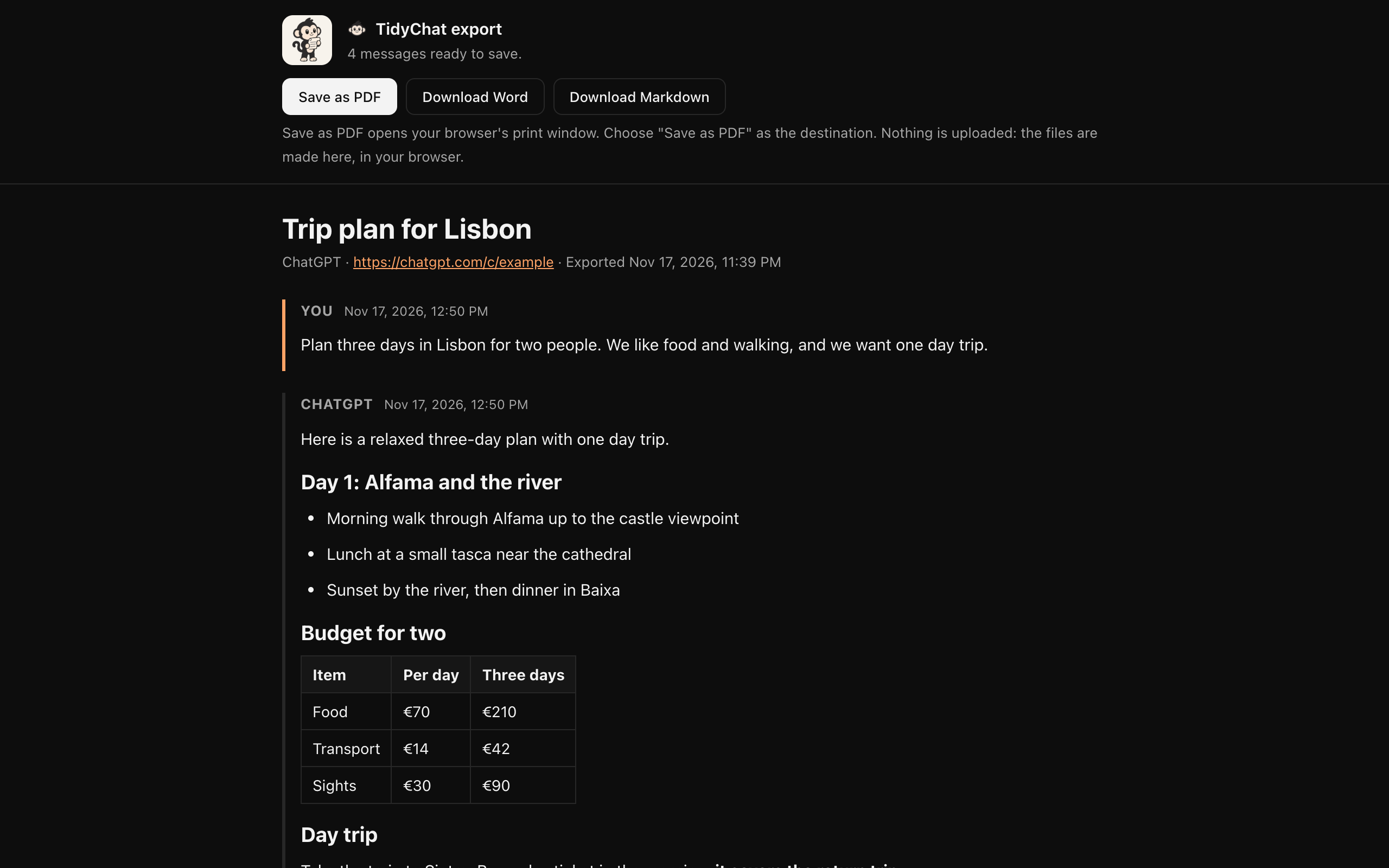
How to turn a ChatGPT chat into a PDF
- 01
Export the chat
Open the chat on chatgpt.com, click the TidyChat icon, then “Export this chat”.
- 02
Click Save as PDF
On the export page, click Save as PDF. Chrome's print window opens.
- 03
Choose “Save as PDF”
Set the destination to “Save as PDF” and click Save. For Word, click Download Word instead.
Why it looks better than printing the page
- Every message, not only the ones that were on screen.
- Your messages and the replies clearly labelled, in order.
- No sidebar, buttons or message box in the way.
- Code in a monospace font, with long blocks complete.
- Tables as real tables, lists as real lists.
- Real, selectable text, not a picture of the page.
PDF or Word?
Choose PDF to keep or send a fixed copy, such as research notes or a record of advice. Choose Word when you want to edit the text, cut it down or add your own notes. For notes apps and code, Markdown is on the same page: see the ChatGPT exporter.
Questions
How do I save a ChatGPT chat as a PDF?
With TidyChat: open the chat, click “Export this chat”, then Save as PDF and choose “Save as PDF” as the destination in Chrome's print window. Without an extension you can print the page, but ChatGPT only keeps the messages near your screen in the page, so a long chat can come out incomplete.
Can I convert ChatGPT to Word?
Yes. On the same export page, click Download Word. You get a .docx file with the conversation's headings, lists, tables and code.
Is the PDF text selectable?
Yes. The PDF comes from Chrome's own print window, so the text stays real text you can select, copy and search.
Does it work on iPhone or Android?
No. TidyChat is a Chrome extension, so it works in Chrome on a computer.
Is it free?
Yes. PDF, Word and Markdown export are all free.