
Skip to content
TidyChat

Chrome extension

The ChatGPT Chrome extension for tidying up your chats

TidyChat adds the housekeeping ChatGPT leaves out: archive or delete many chats at once, export a chat to PDF, Word or Markdown, see when each message was sent, and stop Enter from sending too early. It is free to use, and your chats never leave your browser.

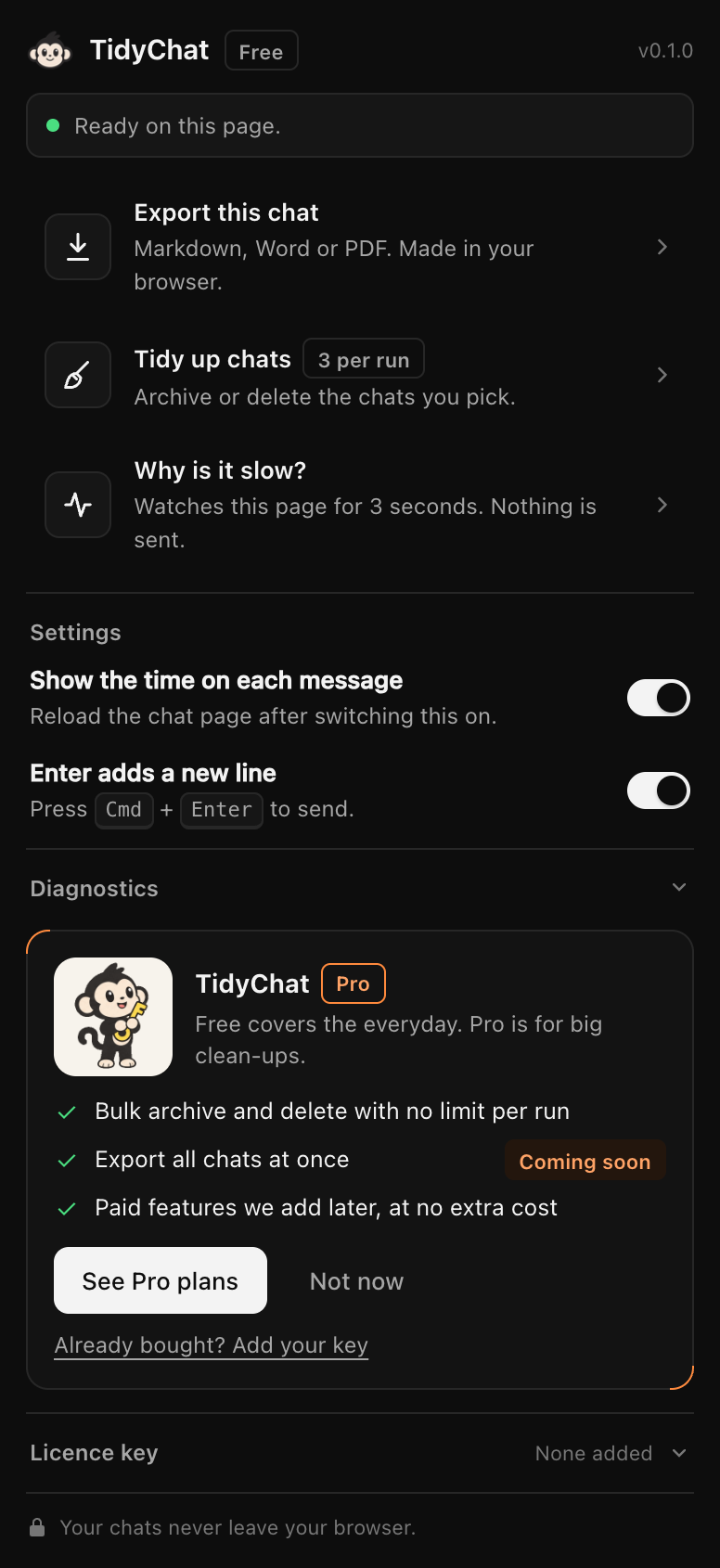
The TidyChat popup on ChatGPT with Export this chat, Tidy up chats, Why is it slow? and settings
Everything is one click away in the TidyChat popup.

What it adds to ChatGPT

Free for 3 chats per run

Bulk archive and delete

A panel beside ChatGPT lists the chats in your sidebar with checkboxes. Tick them, Shift-click a range or filter by a word in the title, confirm the count, and TidyChat archives or deletes them through ChatGPT's own buttons.

How it works →

Free

Export to Markdown, Word and PDF

Reads the whole chat, including older messages ChatGPT only loads when you scroll up, and saves it as a clean file. Code, tables, lists and links are kept. The file is made in your browser.

How it works →

Free

A time on every message

ChatGPT shows one date per chat. TidyChat shows the date and time of each message, read from data the page already has.

How it works →

Free

Enter adds a new line

An optional switch: Enter starts a new line and Ctrl + Enter or Cmd + Enter sends. Off until you turn it on.

How it works →

“Why is it slow?”: find out what's slowing ChatGPT down

Free. Click “Why is it slow?” in the popup and TidyChat watches the ChatGPT page for about 3 seconds.

It measures how quickly the page reacts to clicks and keys, how long ChatGPT's server takes to answer, your connection, the size of the page and signs of other extensions. Then it names the most likely cause, with a next step:

  • another extension working on the page,
  • your network connection,
  • ChatGPT's own service being busy,
  • or this device.

What it doesn't do

It doesn't make ChatGPT faster, and nothing honest can promise that. ChatGPT already keeps long chats light by loading only recent messages, so a long chat probably isn't the cause. The check tells you what is, so you can fix that. It sends nothing anywhere. Read the full guide.

Built to be trusted with your chats

  • Your chats, titles and account details stay in your browser.
  • No analytics, tracking or error reporting in the extension.
  • Asks for one permission, storage, plus access to chatgpt.com only.
  • Never reads your login session or calls ChatGPT's servers itself.
  • Delete and archive always show a count and wait for you to confirm.
  • Its only network call of its own is a licence check, if you buy. Privacy policy.

What it doesn't do (yet)

  • Claude and Gemini: planned, not available yet.
  • Export all chats at once: not available yet. ChatGPT's own Export data covers a full copy.
  • Folders and search inside chats: not built. How to organize chats today.
  • Phones and tablets: TidyChat runs in Chrome on a computer.

Questions

What does the TidyChat extension do?

It adds five things to ChatGPT in Chrome: bulk archive and delete, export to Markdown, Word and PDF, a time on every message, an Enter key that adds a new line, and a check that names what is slowing your ChatGPT page down.

Is it safe to use?

It asks only for storage and for access to chatgpt.com, nothing else. It has no analytics, sends none of your chats anywhere, and never reads your login session. Bulk actions only start after you confirm a count.

Which browsers does it work in?

Chrome on a computer. TidyChat is on the Chrome Web Store.

Does it work with Claude and Gemini?

Not yet. It works on ChatGPT today. Claude and Gemini support is planned.