
Free
ChatGPT Exporter: save any chat as Markdown, Word or PDF
Open the chat, click “Export this chat” in TidyChat, and pick a format. TidyChat reads the whole conversation, including the older messages ChatGPT only loads when you scroll up, then makes the file in your browser.
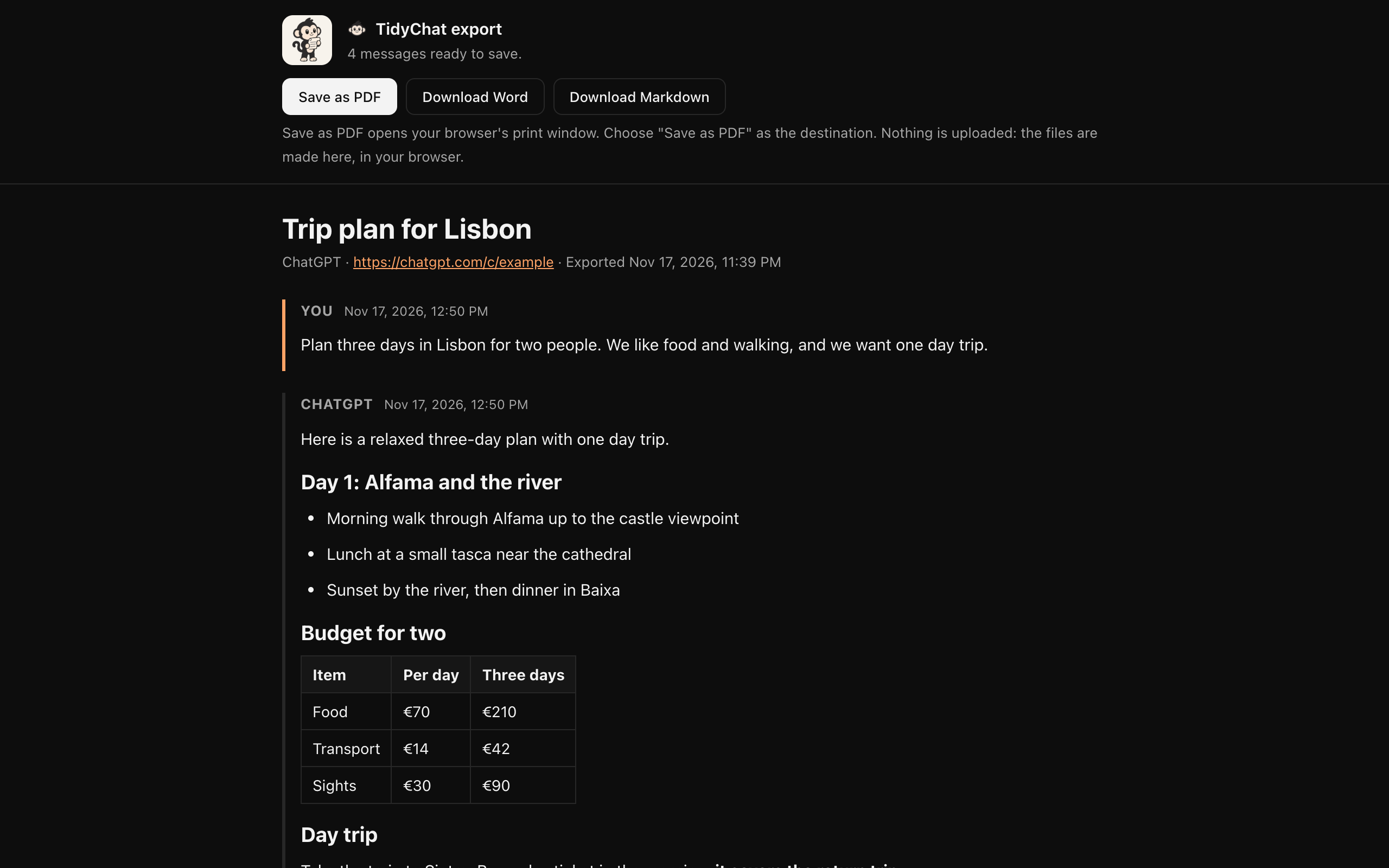
How to export a ChatGPT conversation
- 01
Open the chat
Go to the conversation on chatgpt.com and click the TidyChat icon in Chrome's toolbar.
- 02
Click “Export this chat”
TidyChat scrolls through the chat and reads every message. It puts your place back when it's done.
- 03
Save it
A new tab shows a preview. Click Download Markdown, Download Word or Save as PDF.
Three formats, one click each
Markdown (.md)
Plain text with headings, lists, tables and code fences. Good for notes apps, documentation and version control, or for pasting into another AI chat.
Word (.docx)
An editable .docx document, with the same headings, lists, tables and code as the chat. Good for reports and for sharing with people who don't use ChatGPT.
Made with Chrome's own print window: choose “Save as PDF”. The text stays real text you can select and search.
What the export keeps
- Who said what: your messages and ChatGPT's replies, in order.
- Code blocks in full, even long ones ChatGPT only draws part of on screen.
- Headings, bold and italic text, lists, tables, quotes and links.
- Formulas, kept as their TeX source so nothing is lost.
- The time of each message, if timestamps are on.
- Clean links: ChatGPT's tracking tag is taken off web links.
If part of a chat can't be read, the export says so instead of leaving it out silently. Images and uploaded files become a placeholder with a note.
Exporting everything at once
TidyChat exports one chat at a time. To get a copy of your whole ChatGPT history, use ChatGPT's own Export data, in Settings under Data controls. Here's how it works.
Questions
Is the ChatGPT exporter free?
Yes. Exporting a chat to Markdown, Word or PDF is free, with no limit on how many chats you export one by one.
Does it export the whole conversation or only what's on screen?
The whole conversation. ChatGPT only keeps the messages near your screen in the page, so TidyChat scrolls through the chat from top to bottom and reads each message as ChatGPT shows it. A progress card shows how far it has got, with a Stop button.
Are my chats uploaded anywhere?
No. The file is made inside your browser and saved to your downloads. Nothing is sent to us or to anyone else.
Can I export all my ChatGPT chats at once?
Not with TidyChat yet: it exports one chat at a time. ChatGPT's own Export data, in Settings under Data controls, emails you a file with your whole history.
What happens to images and uploaded files?
They are replaced by a short placeholder, and the export says which messages had them. Text, code, tables, lists and links come through in full.